
1
Say what should happen
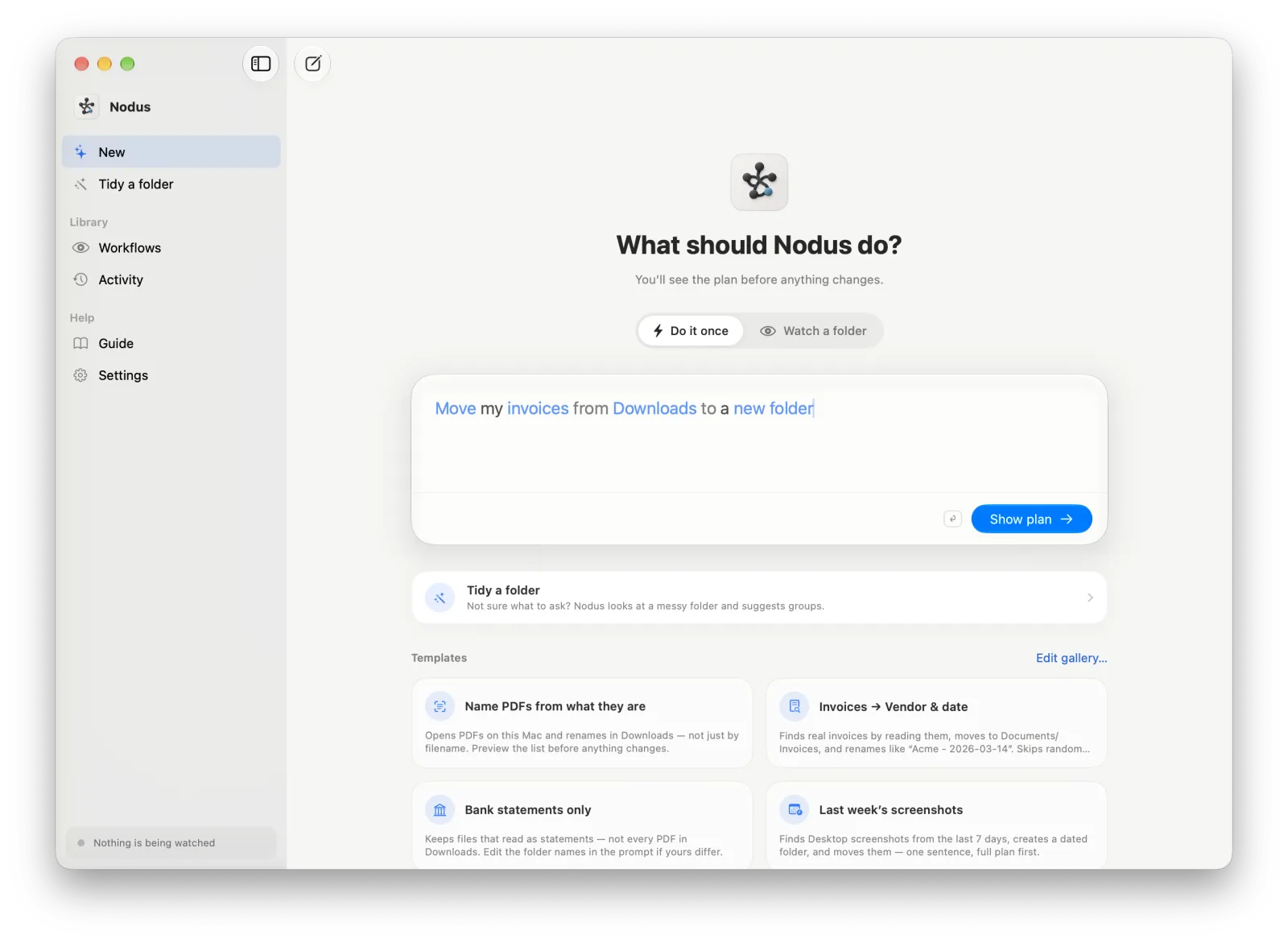
Pick “Do it once” or “Watch a folder”, then type. Words like move, invoices, and Downloads light up as Nodus understands them.
Requires macOS 26 or later
Tell Nodus what you want in plain English. It shows every file it would move, waits for your OK, and undoes anything in one click.
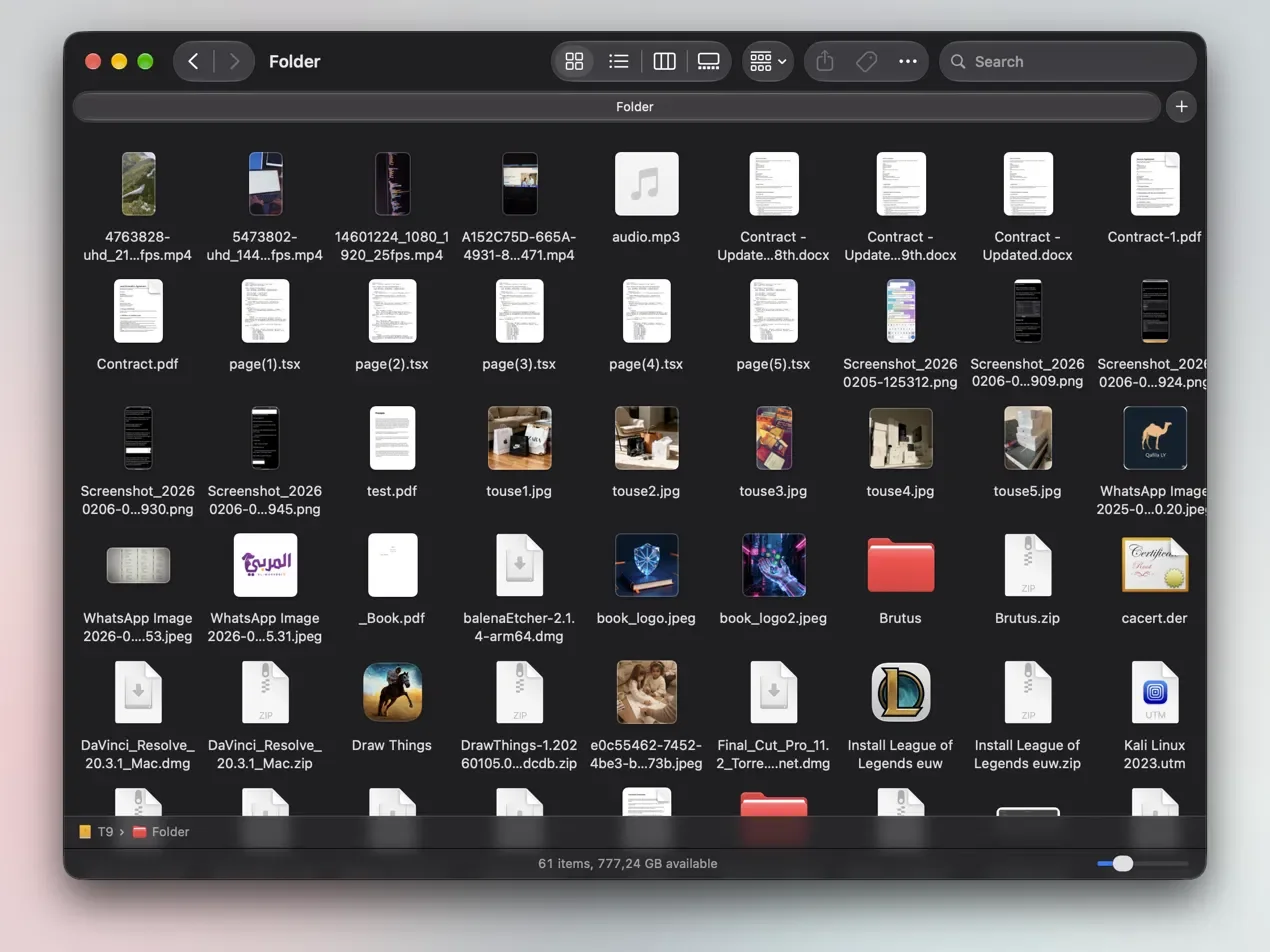
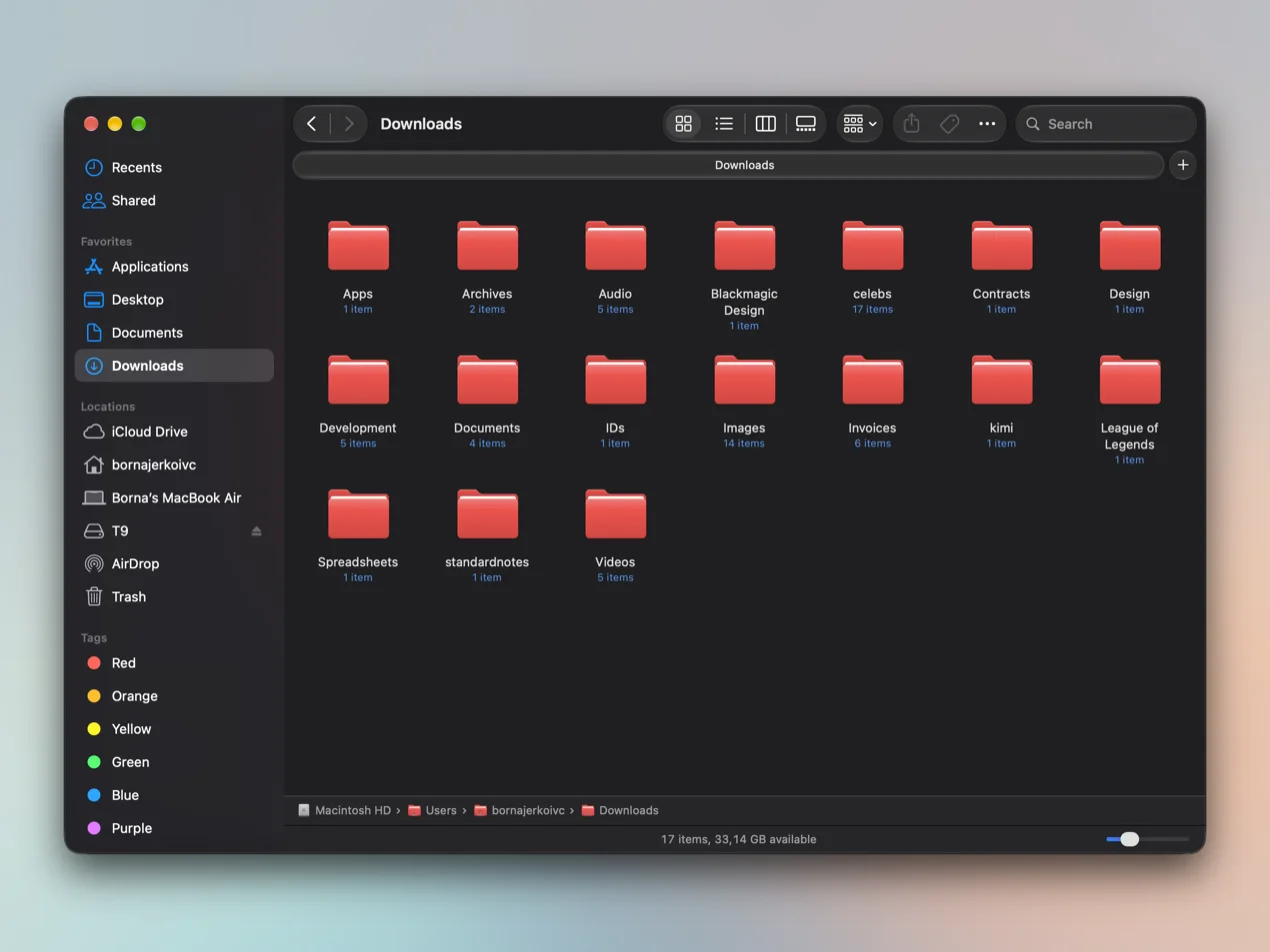
No rules to build. No syntax to learn.
Dates, sizes, what’s written inside a document, new folders, new names, folders to keep watching. Put it in one sentence. If something is unclear, Nodus asks one short question before it plans.
Don’t know what to ask? Choose Tidy a folder and Nodus looks at what’s there and suggests the groups.
How it works
Most tools either make you write rules or just act. Nodus explains, shows, and waits.
Pick “Do it once” or “Watch a folder”, then type. Words like move, invoices, and Downloads light up as Nodus understands them.
Where it will look. What it will read. Which folder it will create. That everything else stays put. You can change the source or destination before anything happens.
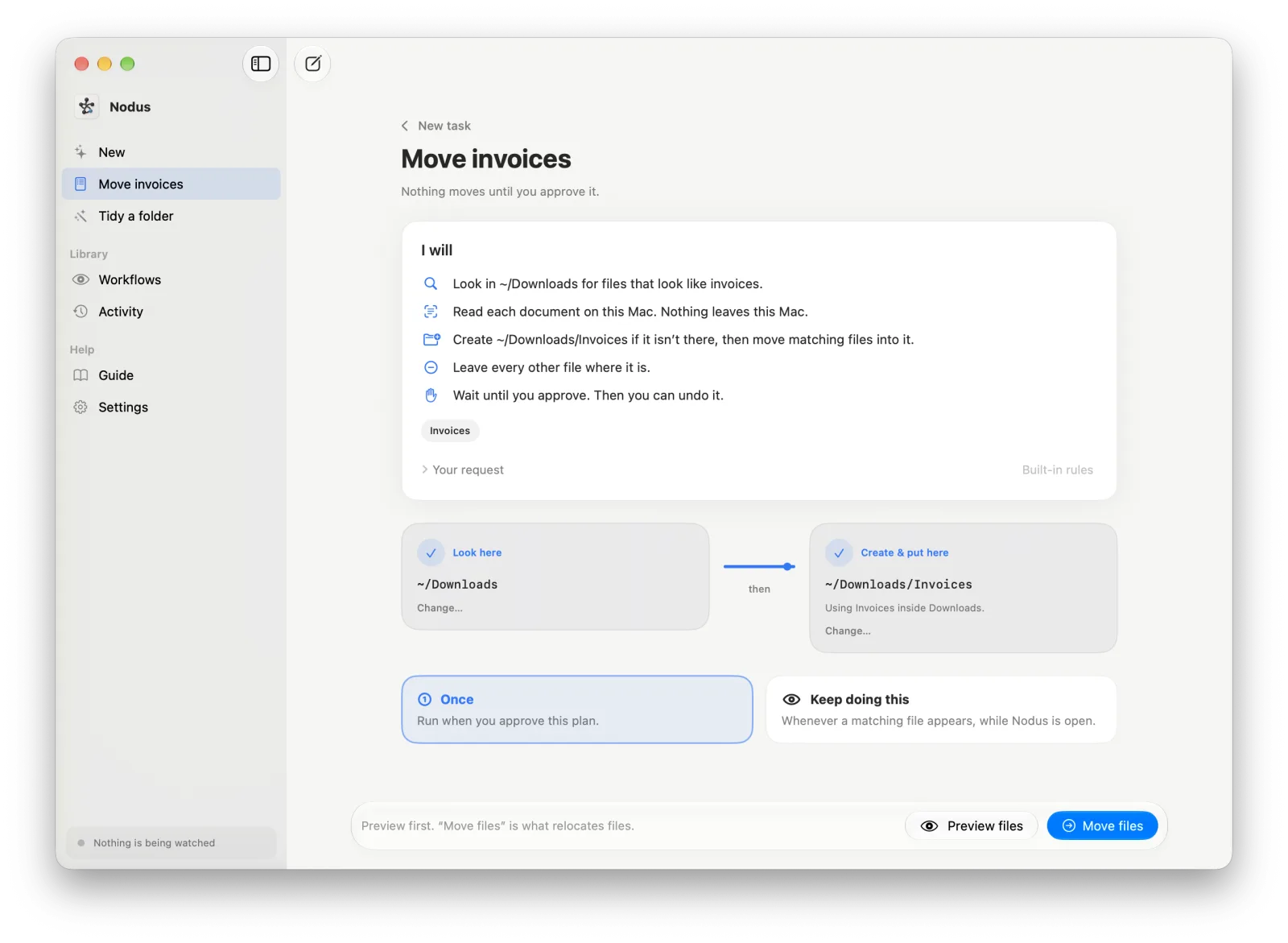
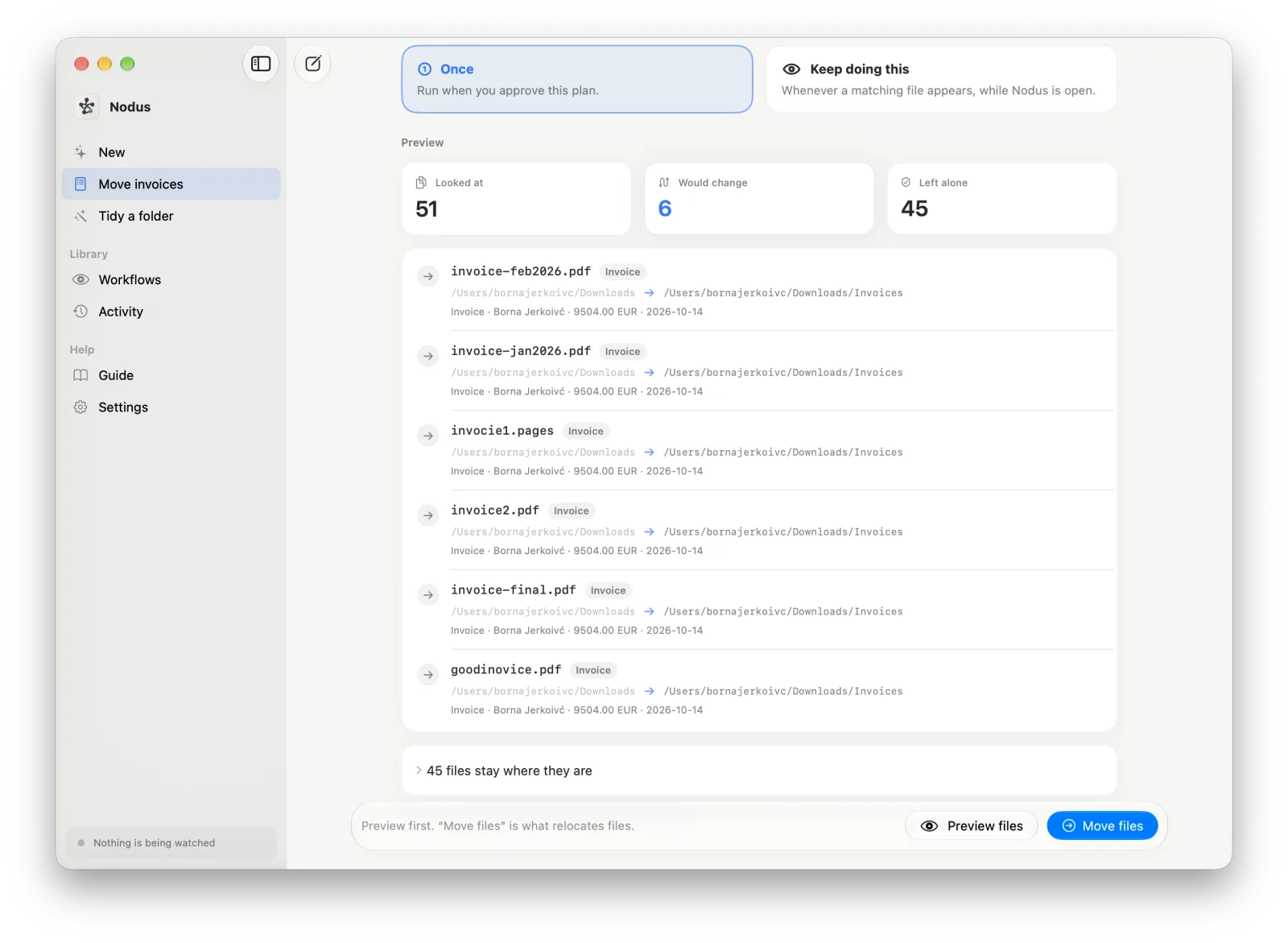
Preview lists every file that would change, where it goes, and why. Here: 6 invoices out of 51 files. The other 45 are untouched.
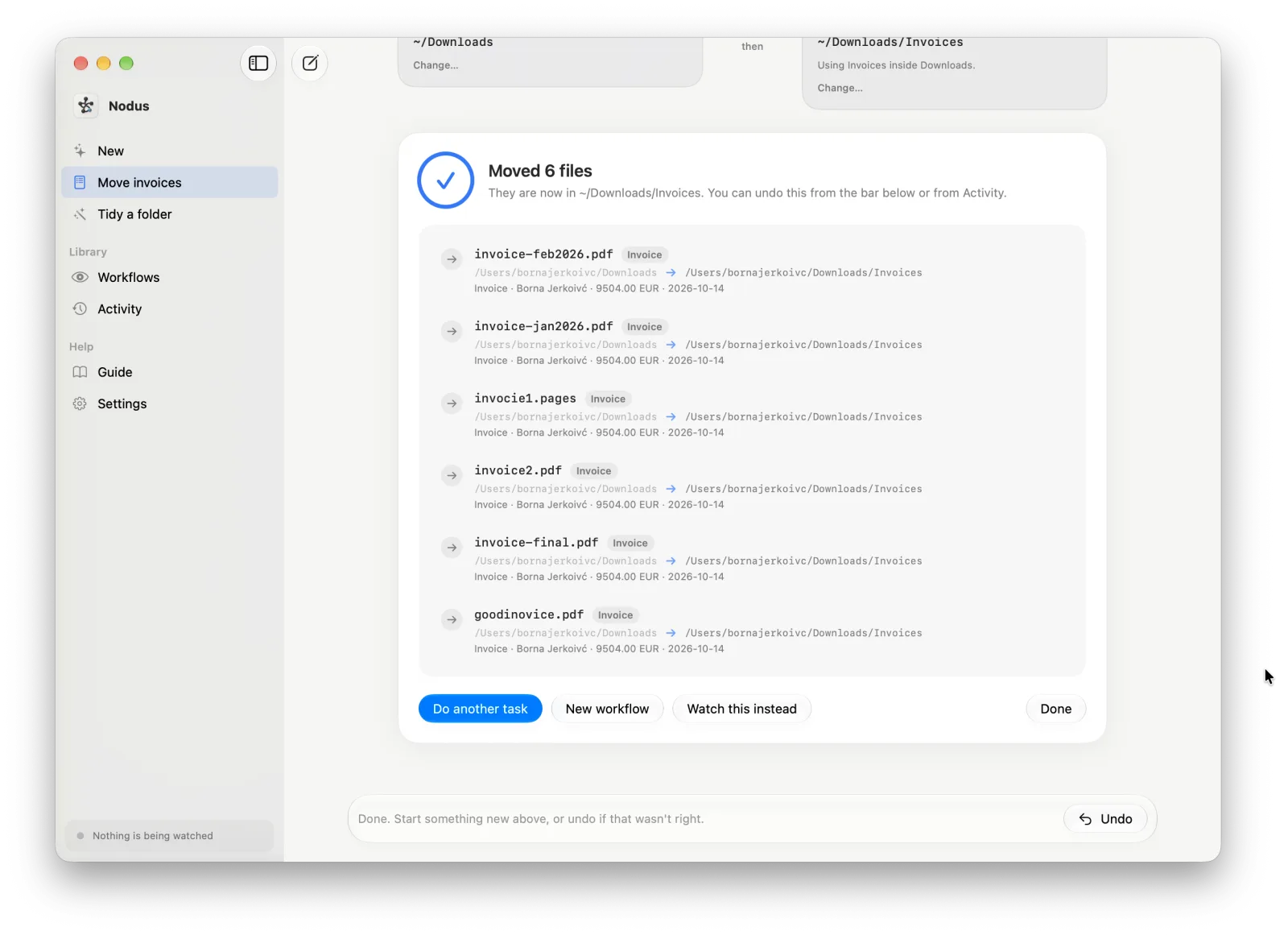
One click moves the files. The confirmation names each one, and Undo is right there. Every run is kept in Activity, so you can put it back later too.
Features
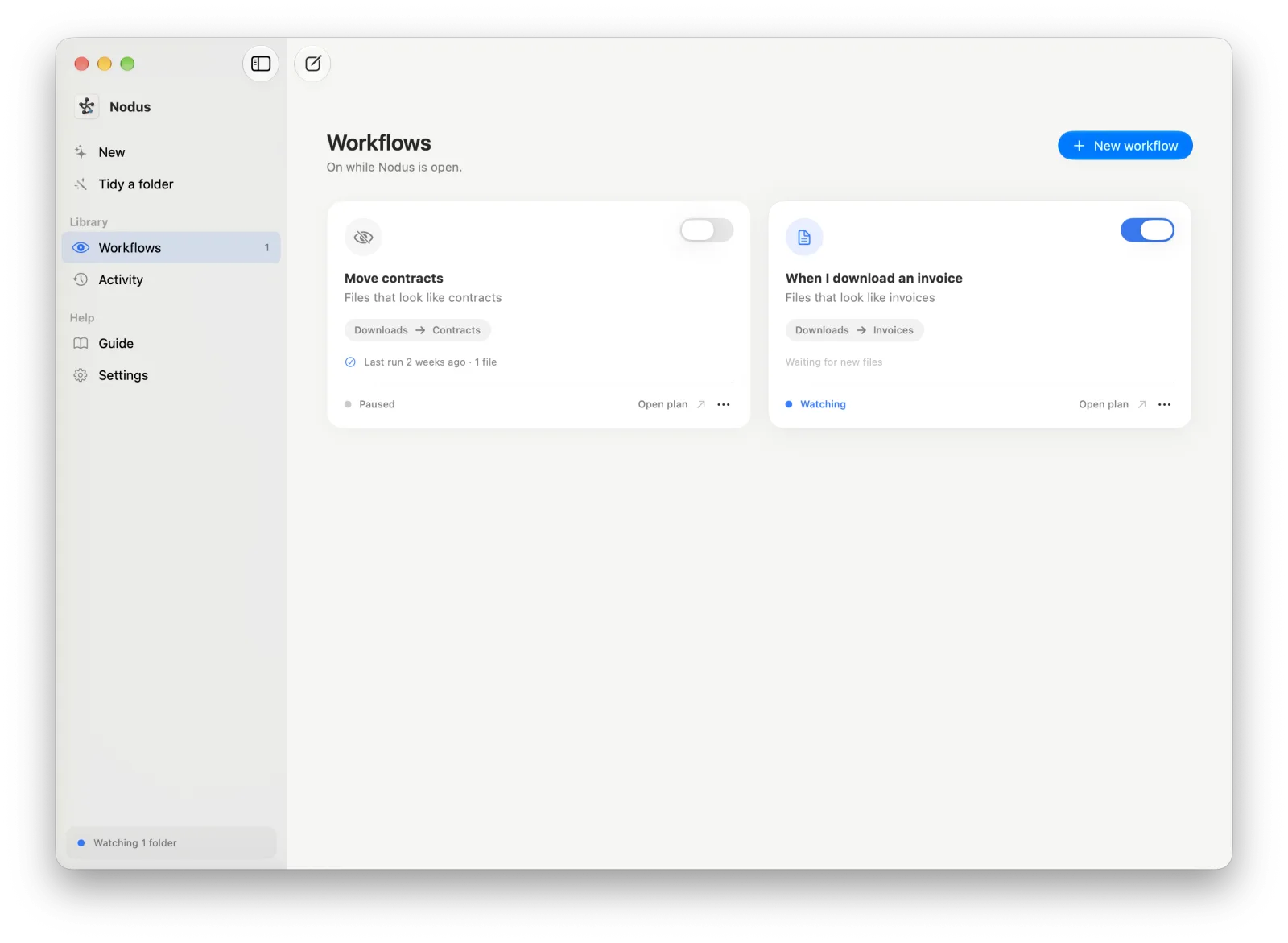
“Whenever I download an invoice, file it.” Turn a plan into a workflow, and new matching files are handled while Nodus is open. Pause or resume with a switch.
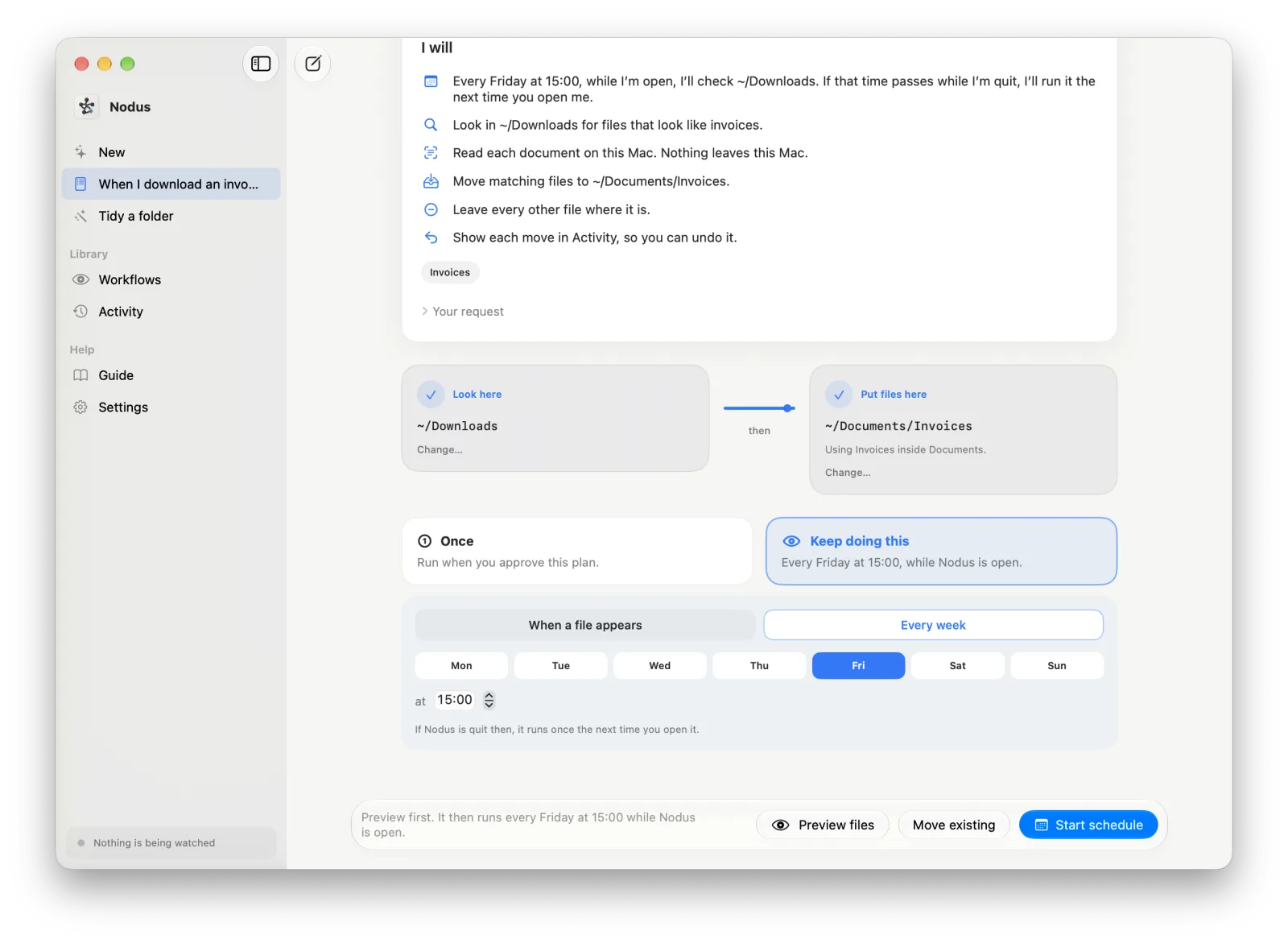
Pick a day and time on the plan, like every Friday at 15:00. If your Mac was off, it runs once the next time you open Nodus.
Select a folder or files, choose Organize with Nodus, and get suggestions.
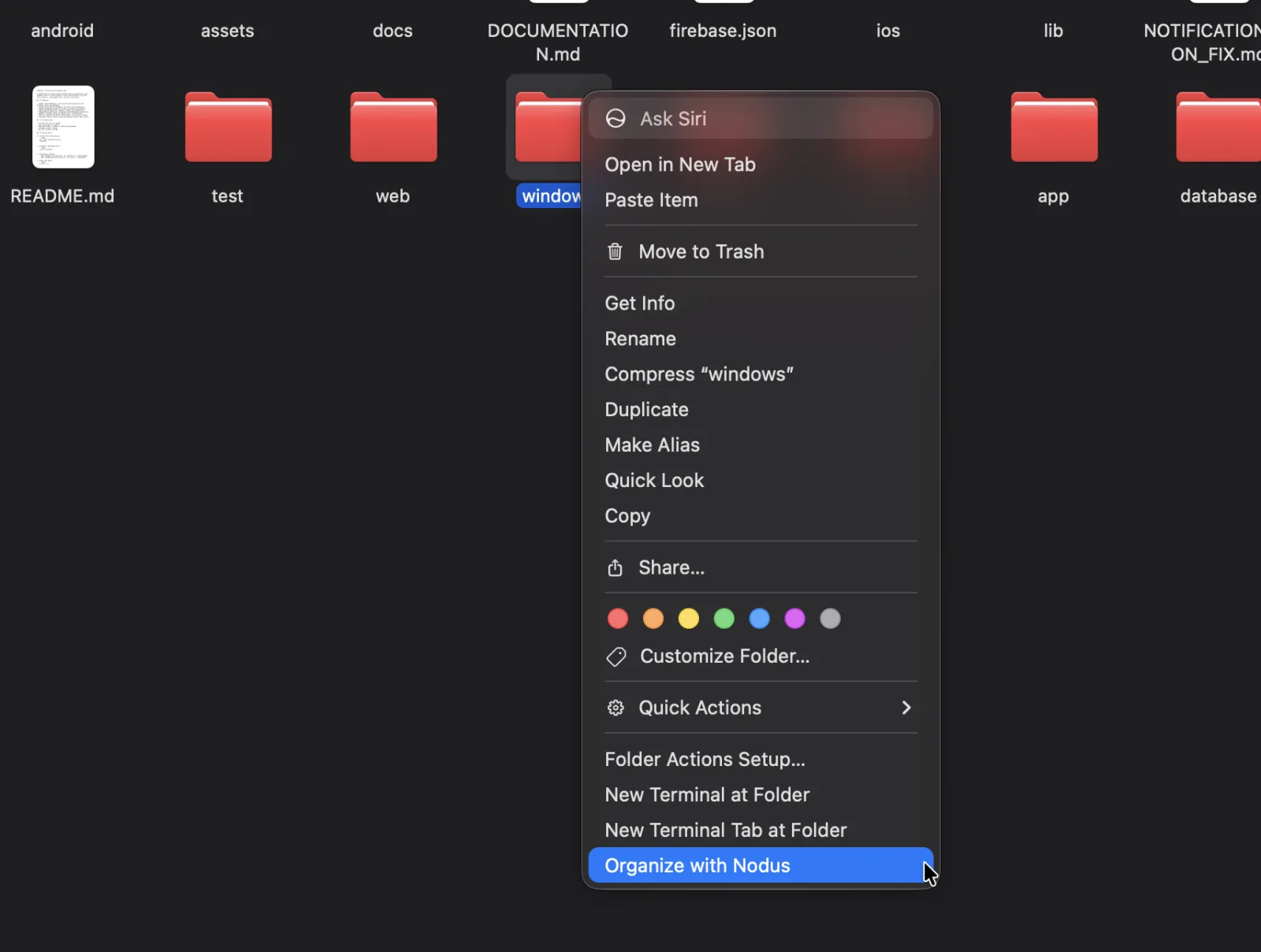
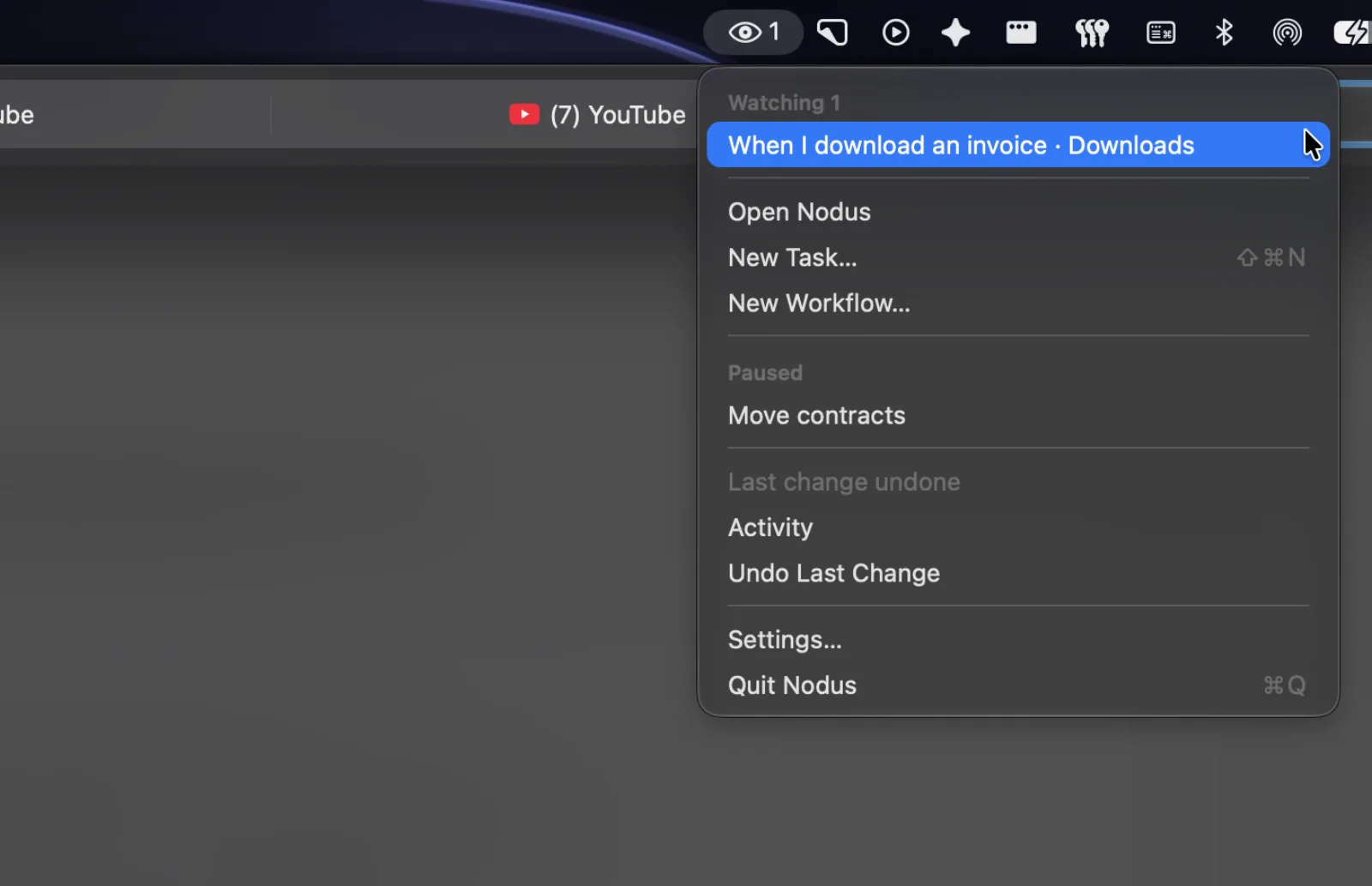
See what’s watching, start a task, or undo the last change from anywhere.
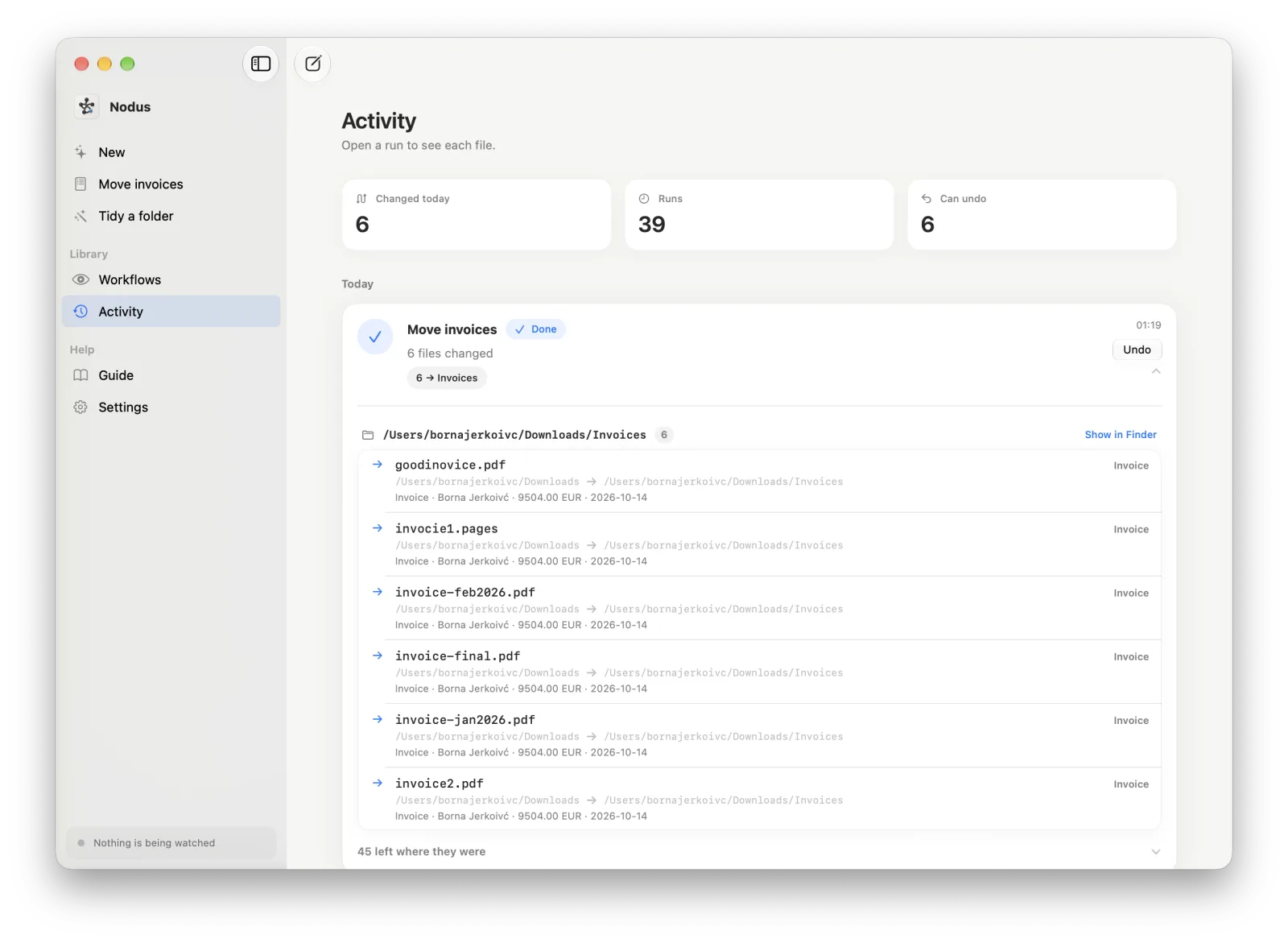
Every run, every file, where it was and where it went. Undo with one click.
Finds invoices, contracts, statements, and a phrase inside a PDF, all on your Mac.
PNG→JPEG, HEIC/WebP→JPEG or PNG, TIFF→JPEG, GIF→PNG, image→PDF, PDF→JPEG, MOV→MP4.
“Older than 30 days but not older than 60, bigger than 25 MB.” Combine them freely.
Into existing folders or new ones. Name clashes become “name 2” rather than overwriting.
Name PDFs by content, file invoices by vendor and date, gather last week’s screenshots.
Press ⌘⇧N from any app to start a task. Return shows the plan.
Privacy
Nodus understands your request with Apple’s on-device model. It reads documents locally. There’s no cloud upload, no account, and no tracking.
Requests are understood on your Mac. Built-in rules take over when Apple Intelligence isn’t available.
macOS sandbox. Nodus works only in folders you grant, and you can see every one in Settings.
No sign-in, no ads, no telemetry. The license check sends only your key and an anonymous hash of the Mac.
Pricing
No subscription. No account. No upsells.
Full app · One Mac
€29
once — not per month
Secure checkout by Stripe
Everything included
Like many Mac users, my Downloads and Desktop folders were always a disaster. The existing solutions were either rigid rule-engines that took hours to configure, or black boxes that felt unsafe to let loose on personal documents.
I built Nodus for myself first: an app where I could type one plain English sentence, see an exact visual preview of what would happen, and keep 100% of my data on my Mac.
Nodus is independent software built specifically for Apple Silicon. If you ever have a feature idea, run into a bug, or need help, you won’t talk to a support bot—you’ll be emailing me directly.

No. A one-time task always shows you a plan and waits for approval. A workflow only runs a plan you already approved, and only while Nodus is open. Quitting Nodus stops it.
You see the exact list of files before anything changes. If you approve and change your mind, Undo puts the whole run back. Activity keeps the history.
No. Requests are understood with Apple’s on-device model, and documents are read on your Mac. File names, folders, and contents are never sent anywhere. The only network request is the license check: your key plus an anonymous hash of the Mac.
macOS 26 or later, on a Mac with Apple silicon (M1 or newer). Earlier macOS versions cannot open Nodus. The update is free: Apple menu → System Settings → General → Software Update. Apple Intelligence is optional. With it on, looser sentences work better. With it off, built-in rules handle clear requests like “move PDFs from Downloads to Documents.”
Yes. Closing the window keeps Nodus running in the menu bar, so workflows keep watching. Turn on Open at login and they come back after a restart. A missed weekly run happens once the next time you open Nodus.
No. €29 once for one Mac. Moving to a new Mac? Remove the license in Settings on the old one and enter the same key on the new one.
Use Recover a license with the email you used at checkout, and we’ll send it again.
Email info@nodusdevelopment.hr within 14 days of purchase from the address you paid with. The payment goes back through Stripe, and the key is deactivated. See Refunds.
You’re talking directly to Borna, the developer who wrote the code. If you run into an issue, need a refund, or have an edge case you want supported, email info@nodusdevelopment.hr and I’ll get back to you personally.
No. This is the direct download with a license key. A Mac App Store edition, if you see one, is a separate purchase and doesn’t use this key.
But one sentence will. Try Nodus with a 14-day money-back guarantee.
One-time purchase · Requires macOS 26 or later · Apple silicon